maps.me Nepal: Offline Trekking Maps Guide (2026)
How to use maps.me in Nepal for offline trekking, its free-download limit, why many trekkers switched to Organic Maps or CoMaps, and how to load GPX trails.
An offline map is a backup, not a guide — in Nepal's high country, paper and a local porter still win when the screen goes dark.
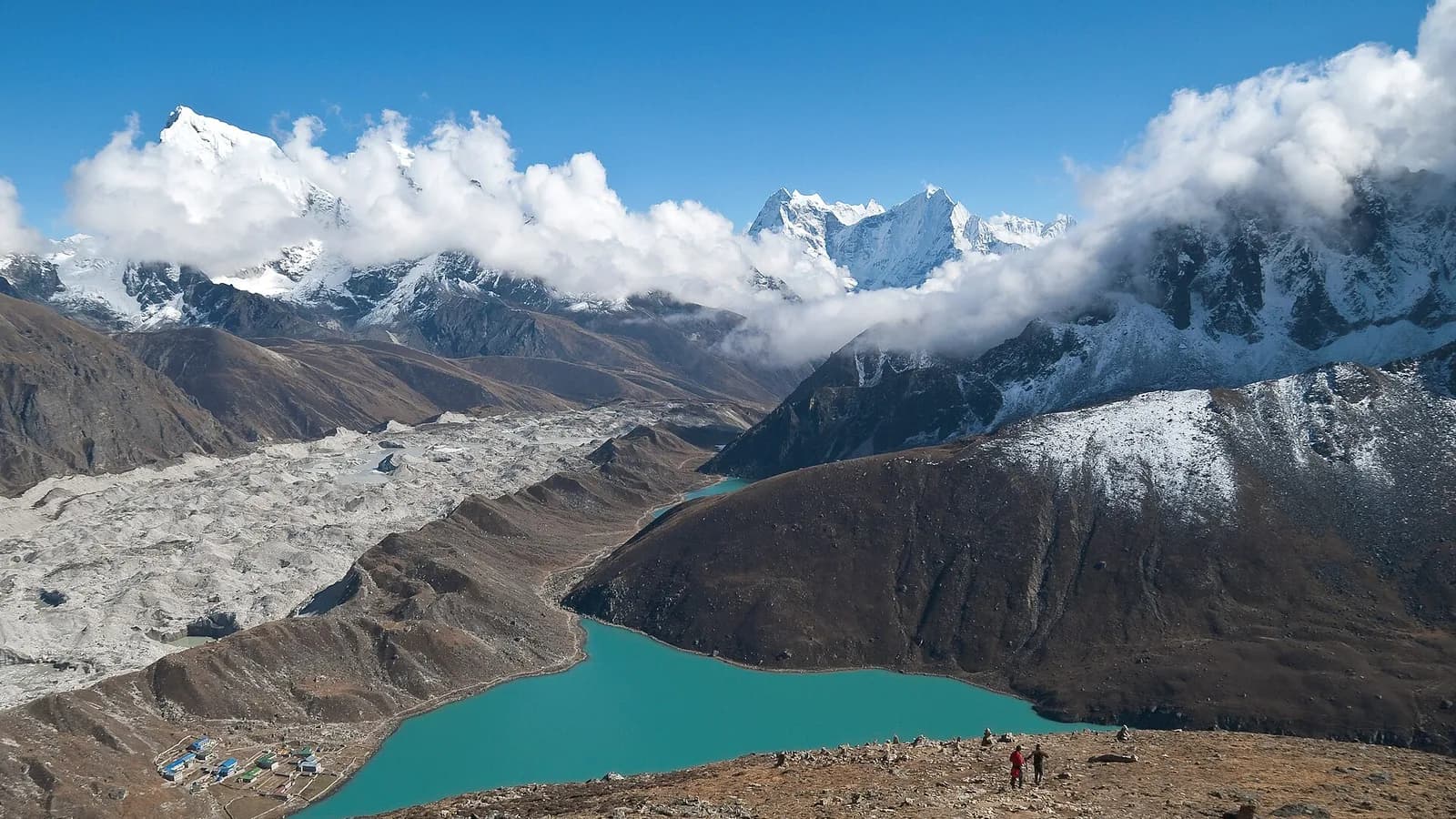
If you are heading to the Himalaya, maps.me in Nepal is one of the first apps travellers reach for: download the country's maps over Wi-Fi in Kathmandu, and your phone can then guide you through Thamel's alleys or along a remote trail with no signal at all. It is genuinely useful — but the app has changed a lot since the days when it was the undisputed king of free offline maps, and there are now better-known alternatives worth knowing about before you fly. This guide explains how maps.me works in Nepal, its limits, the privacy questions, and the free apps many trekkers have switched to.
Key takeaways
- maps.me works fully offline in Nepal once you download the map regions over Wi-Fi, using your phone's built-in GPS with no SIM or signal needed.
- It draws data from OpenStreetMap, so popular routes like Annapurna and Everest are well covered, but some side trails are missing or out of date.
- Since 2023, maps.me limits free map-region downloads (reported around 10 regions) and shows ads; a paid Pro tier removes limits.
- Many trekkers have moved to Organic Maps (a 2021 open-source fork) and its newer fork CoMaps — both are free, ad-free, privacy-focused and use the same OpenStreetMap data.
- An offline map is a backup, not a substitute for a licensed guide, a paper map, or common sense at altitude.
- Always download maps before you leave a city with reliable internet, and carry a power bank for the cold, battery-hungry trail.
What maps.me actually is
maps.me (sometimes written MAPS.ME) is a free smartphone app for Android and iOS that shows maps and provides turn-by-turn navigation without an internet connection. All of its map data comes from OpenStreetMap, the volunteer-built, free-to-use world map — the same data that powers many other navigation tools.
The model is simple: while you have Wi-Fi, you download the map data for the areas you will visit. After that, the app uses your phone's GPS chip — which works independently of mobile networks — to place a blue dot on the map and follow your movement. That is why it keeps working high on a trekking trail where there is no phone signal and no eSIM coverage. (For how connectivity itself behaves up there, see our guide to Wi-Fi in Nepal.)
A short, useful history
maps.me has changed hands several times, and that backstory explains today's landscape:
- It launched in 2010 and was acquired by the Russian internet group Mail.Ru in 2014.
- In November 2020 it was sold to a company called Daegu Ltd.
- A major December 2020 redesign stripped out features long-time users loved and added more ads and monetisation. In response, some of the original developers created an open-source fork called Organic Maps, which launched in June 2021.
So the app you download today is not the same project that earned maps.me its reputation. That matters when you read older blog posts and forum threads praising it — many of those recommendations predate the changes.
Using maps.me in Nepal, step by step
The workflow is the same whether you are exploring Kathmandu or trekking the Annapurna Circuit.
- Install the app and open it while you still have a strong internet connection — ideally in Kathmandu or Pokhara.
- Download Nepal's map regions. maps.me splits the country into areas (for example central, eastern and western regions plus dedicated city maps). Download every region your trip touches.
- Test it offline. Turn on airplane mode, switch GPS back on, and confirm the map and your location dot still work before you rely on it.
- On the trail, keep the phone in airplane mode with location services on to save battery, and wake the screen only to check your position.
Coverage in the mountains
For the busy classic routes — the Annapurna Circuit, the Ghorepani Poon Hill trek, the Langtang Valley and the Everest Base Camp trail — OpenStreetMap coverage is generally good, because these trails are walked and mapped by thousands of people. Teahouses, villages, suspension bridges and major junctions usually appear.
The weaknesses show up off the highway: minor variant trails, recently re-routed paths (Nepal's mountains shift after landslides and earthquakes), and seasonal routes may be missing, mislabelled, or simply wrong. The map cannot tell you a bridge has washed out. This is one reason Nepal still treats trekking as something you do with local knowledge, not a screen alone.
The catch: free-download limits and ads
Here is the single most important change for budget travellers. Beginning in summer 2023, maps.me restricted the number of map regions you can download for free — reported as roughly 10 regions — and introduced a paid Pro subscription to lift the cap. Reports put Pro at EUR 3.79 per month or EUR 35.99 per year (as of March 2024); exact pricing varies by region and over time, so check the app store before paying.
For a single trip to Nepal, the free allowance is usually enough — you only need a handful of regions. But the change, combined with ads inside the free app, nudged a large share of the trekking community toward alternatives that have no limit and no ads at all.
| Feature | maps.me | Organic Maps | CoMaps | |---|---|---|---| | Map source | OpenStreetMap | OpenStreetMap | OpenStreetMap | | Works fully offline | Yes | Yes | Yes | | Cost | Free with limits; paid Pro | Free | Free | | Ads | Yes (free tier) | No | No | | Free download cap | Yes (reported ~10 regions) | No | No | | Open source | No | Yes | Yes | | GPX import | Yes | Yes | Yes |
Always verify current features in your app store, as apps change frequently.
The alternatives most trekkers now use
If you only remember one thing from this article, make it this: there are two completely free offline map apps built from the same project, and many experienced Nepal trekkers prefer them.
Organic Maps
Organic Maps is the open-source fork that split from maps.me in 2021, built by former maps.me developers. It uses the same OpenStreetMap data, works fully offline, and markets itself squarely at hikers and cyclists. Its pitch is simple: no ads, no tracking, no data collection, and no download limit. It has grown to millions of users worldwide. For privacy-minded travellers, the lack of tracking is a real selling point — the proprietary maps.me app has historically collected more usage data.
CoMaps
In 2025, a group of Organic Maps contributors created a further community fork called CoMaps, citing concerns about how the Organic Maps project was being governed. CoMaps launched on the major app stores around mid-2025 and became available on Linux via Flathub in early 2026. It offers the same core promise — worldwide offline OpenStreetMap navigation with no tracking, no data collection and no ads — and prioritises community-led development.
For a trekker, the practical difference between Organic Maps and CoMaps is small; both are excellent. The smart move is to install two map apps before you fly, so that if one shows an odd or missing trail you have a second opinion on your phone.
Loading GPX trail files
A powerful feature for trekkers is GPX import. A GPX file is a recorded track — a precise line someone walked and saved. maps.me, Organic Maps and CoMaps can all import GPX files, letting you display an exact route over the offline map.
Where do GPX tracks come from? Trekking agencies sometimes share them, and trekkers post them online for popular routes. To use one: download the GPX file to your phone while you have internet, then open it with your map app, which draws the track on the map. Combined with your live GPS dot, this makes it easy to see whether you are still on the intended line. Treat shared tracks with healthy caution, though — an old or sloppily recorded GPX can lead you astray as easily as a wrong turn.
Where a map app stops and a guide begins
An offline map answers "where am I?" It does not answer "is this safe?", "is that bridge intact?", or "am I about to climb too high, too fast?" — and in Nepal those are the questions that matter.
The mandatory guide rule
Since around March and April 2023, Nepal has required foreign trekkers to hire a licensed guide for most trekking areas, a rule administered alongside the Trekkers' Information Management System (TIMS) card. Reports indicate the TIMS fee for most foreign visitors was raised to about NPR 2,000 (roughly USD 15, as of 2023). Enforcement has been inconsistent in practice, and the Everest (Khumbu) region runs its own permit system that is widely reported as separate from the national TIMS-and-guide requirement. Because the rules shift and are applied unevenly, confirm the current position with a reputable agency before you go — start with our explainer on whether you need a guide to trek in Nepal.
The takeaway: a phone map is a navigation aid, not a legal permit and not a replacement for the local expertise that keeps trekkers safe at altitude. Pair it with proper acclimatisation; our guide to altitude sickness in Nepal explains why rushing kills the trip.
Practical tips for relying on offline maps
- Download before you leave the city. Kathmandu and Pokhara have dependable internet; trailheads do not. Get every region — and your GPX tracks — onto the phone first.
- Carry a power bank. GPS plus a bright screen drains batteries fast, and cold mountain air makes it worse. Keep the phone warm in an inside pocket between checks.
- Use airplane mode with GPS on. This stops the phone hunting for non-existent signal (a big battery drain) while the location dot still works.
- Install two apps. A maps.me-plus-Organic-Maps (or CoMaps) combination gives you a fallback if one shows a missing or strange trail.
- Keep a paper map and a compass. Phones break, freeze, get dropped in rivers and run out of charge. A physical map of your route is cheap insurance.
- Cross-check with people. Teahouse owners, porters and your guide know the trail better than any database. When the map and a local disagree, trust the local.
Sources
Frequently asked questions
- Does maps.me work offline in Nepal?
- Yes. Once you download the Nepal map regions over Wi-Fi, maps.me works fully offline using your phone's GPS, so it functions in trekking areas with no mobile signal. Download the maps before you leave Kathmandu or Pokhara, where the internet is reliable.
- Is maps.me free for Nepal?
- The core app is free, but since 2023 maps.me limits how many map regions you can download for free, reported as around 10 regions, with a paid Pro tier for more. For most single trips to Nepal that free allowance is enough, but it pushed many trekkers toward fully free alternatives like Organic Maps and CoMaps.
- What is the difference between maps.me and Organic Maps?
- Both use OpenStreetMap data and work offline. Organic Maps is an open-source fork created in 2021 by former maps.me developers; it has no ads, no tracking and no download limit. maps.me is proprietary, shows ads and caps free downloads. Many trekkers now prefer Organic Maps or its newer fork CoMaps for privacy and no limits.
- How accurate is maps.me for trekking trails in Nepal?
- It is good but not perfect. maps.me draws trails from OpenStreetMap, which covers popular routes like Annapurna and Everest well, but some side trails are missing, mislabelled or outdated. Treat it as a backup to a licensed guide and a paper map, not as your only navigation tool.
- Can I load GPX trail files into maps.me?
- Yes. maps.me, Organic Maps and CoMaps can all import GPX track files, which lets you load a specific route someone else has recorded. Save the GPX file to your phone, then open it with the app to display the track on your offline map.
- Do I still need a guide if I have maps.me in Nepal?
- Often yes, for legal reasons rather than navigation. Since 2023 Nepal requires foreign trekkers to hire a licensed guide for most trekking areas, though enforcement varies and the Everest region runs its own permit system. An offline map does not replace a guide where one is legally required.
- Will maps.me drain my phone battery while trekking?
- GPS and a bright screen use battery quickly, especially in cold mountain air, which also shortens battery life. Carry a power bank, keep the phone warm inside a jacket pocket, use airplane mode with GPS on, and only wake the screen to check your position.
- Which offline map app is best for Nepal in 2026?
- There is no single winner, but many trekkers now choose Organic Maps or CoMaps over maps.me because they are fully free, ad-free and privacy-friendly while using the same OpenStreetMap data. The smartest plan is to install two apps so you have a backup if one behaves oddly.
Related posts
Offline Maps Nepal: Best Apps for Trekkers in 2026
How to set up offline maps for Nepal trekking — Maps.me, Organic Maps, OsmAnd, Gaia GPS and Google Maps compared, plus GPX and paper-map backup tips.
Read postBackpacker Nepal: A First-Trip Guide for 2026
A backpacker Nepal guide for first-timers — when to go, where to base, getting around, route ideas, money, safety and the trekking-guide rule.
Read postNepal 90 Day Visa: Cost, Rules, and How to Get It
A clear guide to the Nepal 90 day visa — the USD 125 fee, multiple-entry rules, the 150-day annual cap, and how to get it on arrival in 2026.
Read post